
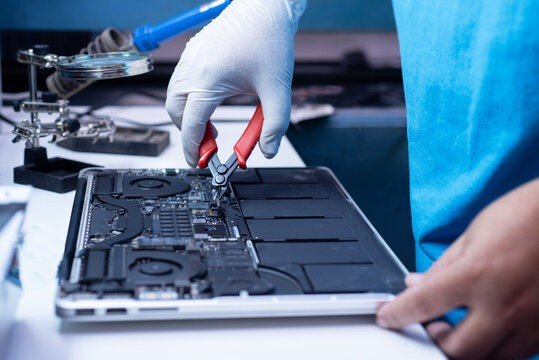
MacBooks are known for their sleek design, reliable performance, and user-friendly features. The keyboard and trackpad play an essential role in providing a smooth computing experience, whether you use your device for professional work, education, creative projects, or everyday activities. However, these components can develop problems over time due to regular use, accidental spills, dust accumulation, software errors, or internal hardware damage. Finding the top MacBook repair and services can help resolve these issues efficiently while protecting your device’s performance and long-term value.
Understanding Common MacBook Keyboard Problems
A malfunctioning keyboard can make even simple tasks frustrating. Some users experience unresponsive keys, while others notice repeated characters, delayed typing, or keys that become difficult to press. In certain situations, only a few keys stop working, whereas more serious problems may affect the entire keyboard.
Dust and debris trapped beneath the keys can interfere with normal operation. Liquid spills may damage electrical contacts, and physical pressure can affect delicate internal components. Software conflicts or incorrect settings can also create typing problems that appear to be hardware failures.
Professional technicians begin by identifying the source of the issue rather than immediately recommending replacement. This diagnostic process helps determine whether cleaning, software adjustments, component repair, or a complete keyboard replacement is necessary.
Why Professional MacBook Repair Services Matter
Modern MacBooks contain compact internal components that require careful handling. Attempting to repair a keyboard without the right tools or technical knowledge can cause additional damage to the keys, battery, trackpad, or surrounding circuitry.
The top MacBook repair and services typically combine technical expertise with appropriate diagnostic equipment. Experienced technicians can inspect the keyboard assembly, evaluate internal connections, and determine whether the problem originates from the keyboard itself or another component.
Professional repair also helps users make informed decisions about cost and reliability. Before beginning work, a reputable service provider should explain the issue, discuss available solutions, and provide an estimate where possible. This approach reduces uncertainty and helps customers choose a suitable repair option.
Identifying Trackpad Issues and Their Causes
The MacBook trackpad allows users to navigate applications, scroll through documents, select text, and perform gestures. When it stops responding correctly, everyday computer use can become significantly more difficult.
Common trackpad problems include inconsistent cursor movement, delayed responses, clicking difficulties, accidental selections, and gestures that no longer work as expected. Sometimes, the cursor moves unpredictably even when the user is not touching the trackpad.
These symptoms can have several causes. Dirt or moisture on the trackpad surface may affect touch detection, while outdated software or incorrect settings can interfere with gesture recognition. Hardware problems involving the trackpad cable or internal assembly may also require professional attention.
A swollen battery is another important possibility when a trackpad becomes difficult to click or appears raised. Because battery swelling can create a safety risk, users should stop using the device and arrange a professional inspection rather than pressing the trackpad or attempting to open the laptop themselves.
How Technicians Diagnose Keyboard and Trackpad Problems
Accurate diagnosis is one of the most important features of dependable MacBook repair. Instead of replacing components unnecessarily, technicians examine the symptoms and test possible causes systematically.
The process may begin with a visual inspection for liquid damage, debris, physical wear, or signs of battery swelling. Technicians may then check keyboard responsiveness, trackpad movement, clicking behavior, and gesture functionality.
Software troubleshooting can include reviewing relevant system settings, restarting the device, checking for available macOS updates, and determining whether the issue occurs across different applications. Depending on the model and symptoms, additional hardware diagnostics may be necessary.
These steps help distinguish between software-related faults and physical component failures. A thorough assessment can prevent unnecessary expenses and improve the likelihood of a lasting repair.
Choosing the Right MacBook Repair Provider
Selecting a trustworthy repair provider requires more than comparing prices. Customers should consider experience, transparency, service quality, repair policies, and familiarity with their particular MacBook model.
First, look for technicians who understand the differences between MacBook Air and MacBook Pro models and their respective keyboard and trackpad assemblies. Repair requirements can vary by model and generation, making device-specific knowledge particularly valuable.
Second, ask about replacement parts. Depending on availability and the repair option, a provider may offer genuine Apple parts, authorized service options, or compatible third-party components. Customers should understand the differences and any implications for warranty coverage before approving the work.
Third, review the provider’s diagnostic process and warranty terms. A reliable business should explain what the repair includes, identify any limitations, and clarify whether the replacement component or workmanship is covered.
Comparing these factors can help customers identify the top MacBook repair and services for their needs instead of choosing solely on the basis of the lowest advertised price.
The Importance of Data Protection During Repairs
Although keyboard and trackpad repairs do not always involve the storage drive, protecting personal information remains important whenever a laptop is serviced. MacBooks may contain confidential work documents, photographs, financial records, and personal communications.
Before taking a device for repair, back up important files using Time Machine or another trusted backup method whenever possible. Users should also review Apple’s guidance on preparing a Mac for service and ask the provider whether access to the computer is necessary.
Avoid sharing account passwords unnecessarily. If a technician requires access for testing, discuss a secure and appropriate method. Where practical, keep sensitive information protected and understand the provider’s privacy procedures.
Professional service providers should treat customer information responsibly and explain any steps required to complete the repair safely.
Preventing Future Keyboard and Trackpad Problems
Preventive maintenance can reduce the likelihood of recurring issues. Keeping the MacBook clean is a simple but effective starting point. Use a soft, lint-free cloth and follow Apple’s cleaning recommendations for the specific device. Avoid spraying liquids directly onto the keyboard or trackpad.
Food, drinks, and other liquids should be kept away from the laptop. Even a small spill can affect sensitive components, so users should avoid eating or drinking directly over the keyboard whenever possible.
Use gentle pressure when typing and operating the trackpad. Excessive force can accelerate wear and may damage delicate components. Carry the MacBook in a protective sleeve and avoid placing heavy objects on top of it.
Software maintenance also matters. Installing appropriate macOS updates, checking accessibility and trackpad settings, and restarting the device when necessary may resolve certain performance issues before they become persistent problems.
Understanding Repair Costs and Replacement Options
MacBook repair costs depend on several factors, including the device model, the nature of the fault, parts availability, and the amount of labor required. A software adjustment or basic cleaning may cost considerably less than replacing a damaged keyboard or trackpad assembly.
Some MacBook models have tightly integrated components, which can make repairs more complex. In these cases, the technician should explain whether the affected component can be repaired separately or whether a larger assembly must be replaced.
Customers should request an itemized estimate covering diagnosis, parts, labor, and applicable taxes. It is also helpful to ask whether the repair is covered by an existing warranty, AppleCare coverage, or consumer protection policy.
A professional assessment makes it easier to compare repair costs with the value of the device and decide whether repair or replacement is the more practical choice.
Benefits of Timely MacBook Repairs
Ignoring keyboard or trackpad problems can reduce productivity and make routine computer tasks increasingly inconvenient. A few unresponsive keys may interfere with writing, while an unreliable trackpad can make navigation difficult during meetings, classes, or creative work.
Addressing problems early can help prevent further complications, especially when liquid exposure or physical damage is involved. Prompt diagnosis may also reduce the risk of spending money on unnecessary replacements.
Reliable repairs can extend the useful life of a MacBook, reduce electronic waste, and help users avoid the expense of purchasing a new laptop before it is necessary.
Conclusion
Keyboard and trackpad problems can affect the usability of any MacBook, but the right repair approach can restore convenience and dependable performance. From diagnosing unresponsive keys to resolving cursor movement issues, qualified technicians provide valuable support through careful inspection, appropriate repairs, and clear communication.
When evaluating the top MacBook repair and services, prioritize technical experience, transparent pricing, suitable replacement parts, data protection, and reliable warranty terms. Combine professional maintenance with careful everyday handling to reduce the likelihood of future problems.
By responding to warning signs early and choosing a reputable repair provider, MacBook owners can protect their investment, maintain productivity, and continue using their devices with greater confidence.