
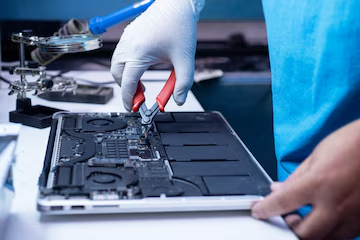
Apple MacBooks are widely known for their sleek design, robust operating system, and dependable performance. However, even the most advanced machines can occasionally encounter unexpected glitches. One of the most frustrating experiences for any professional, student, or creative user is dealing with frequent system crashes, sudden reboots, or kernel panics. When your workflow is interrupted by a frozen screen or an abrupt shutdown, finding reliable top macbook repair and services becomes an absolute priority to safeguard your data and restore your device’s productivity.
Common Triggers Behind Frequent MacBook System Crashes
Before diving into professional solutions, it helps to understand why MacBooks experience recurring crashes. System instability rarely happens without a cause, and identifying the pattern can save you valuable time.
Software conflicts are among the most frequent culprits. Outdated applications, incompatible background drivers, or poorly optimized virtual machine software can cause macOS to panic. Additionally, low storage space or a corrupted file system can trigger unexpected freezes.
On the hardware side, thermal stress is a major factor. If your MacBook runs excessively hot during intensive tasks like video editing, 3D rendering, or heavy multitasking, thermal throttling or failing components can destabilize the system. Furthermore, failing internal storage drives, corrupted RAM modules, or faulty external peripherals like cheap USB-C hubs and uncertified chargers can send error signals straight to the core operating system, resulting in random restarts.
DIY Troubleshooting Steps to Try at Home
If your MacBook has started crashing regularly, you can perform a few initial diagnostics at home before booking a professional service appointment.
First, disconnect all external accessories. Unplug external monitors, USB hubs, portable hard drives, and wired mice, then use your laptop normally for a while. Sometimes, a faulty peripheral or a rogue driver is the sole reason for system instability.
Second, boot your Mac into Safe Mode. For Intel-based Macs, shut down the computer, turn it on while holding the Shift key, and release it when you see the login window. For Apple Silicon models, shut down completely, press and hold the power button until startup options appear, hold the Shift key, and click continue in Safe Mode. Safe Mode loads only essential system extensions and disables third-party login items. If your MacBook runs stably in this mode, a third-party app or extension is likely causing the crashes.
Third, check your crash logs by opening the built-in Console application and looking under diagnostic reports. This will often show you which process or extension failed right before the shutdown.
Why Professional Intervention Matters
While basic troubleshooting resolves minor software glitches, recurring hardware failures or deep-seated logic board issues require expert attention. Attempting to fix complex motherboard faults, microsoldering issues, or thermal paste degradation without professional tools can result in permanent damage to your device.
Engaging certified technicians ensures that your hardware is accurately diagnosed using specialized diagnostic software. Professional repair centers can run comprehensive hardware scans to test sensors, memory integrity, and power delivery components that standard home checks cannot reach.
Choosing the Right Repair Service Provider
When searching for reliable assistance, you want to ensure your device is in capable hands. Look for service centers that specialize exclusively in Apple hardware architecture. Experienced technicians possess the precise tools needed to safely open modern MacBook chassis, which rely heavily on delicate ribbon cables and integrated components.
A trustworthy repair center should offer transparent diagnostics, clear pricing structures, and warranties on all replaced parts or performed labor. Whether you are dealing with a failing solid-state drive, liquid damage recovery, battery swelling, or complex logic board repairs, choosing an established service provider guarantees that your MacBook will receive the meticulous care it requires to perform like new again.
What specific symptoms or error messages is your MacBook showing when it crashes?